5 Photo Collage Maker - Five Pictures in One Frame
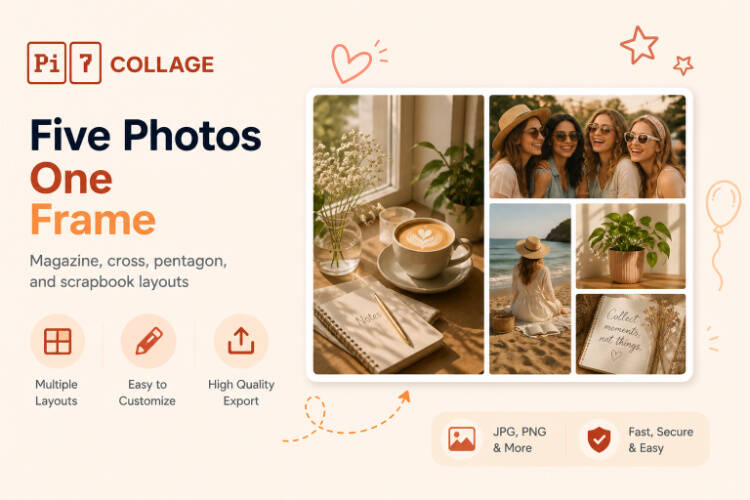
Lay five photos into a magazine spread, a centered hero, a vertical spine, or a soft scrapbook in under a minute. Eight ready 5-photo layouts, independent cropping per cell, 4K export, no watermark.
Make a 5 Photo CollageFive Photos, Eight Ways to Frame Them
Five is the sweet spot for a story with a clear hero plus supporting moments - one shot leads, the other four set the scene. Pi7's 5-photo layouts hit that rhythm: magazine spreads, cross splits, vertical spines, and centered hero compositions.
- Magazine: hero feature + 1 sidekick + 3 row
- Cross: 2 top + 3 bottom (or reverse)
- Pentagon: feature + 3 mid + thin baseline
- Spine, Big+4 Edge, Quilt, 3+2 Rows, Arch
- Crop each photo without touching the others
- Independent brightness, contrast, saturation
- One filter to all five for visual continuity
- Drag-swap any two cells in seconds
- 1080x1080 square for Instagram feed
- 1080x1920 vertical for Stories and status
- 1200x1800 at 300 DPI for 4x6 prints
- Custom canvas with lock-aspect cells
Pick a 5-Photo Layout
Six layouts to start from. Each opens in the editor with five empty cells already positioned. Tap to upload, drag to swap.
Choosing the Right Layout for Your Story
Five photos is the count where layout choice actually matters. With two or three photos every option works. With five the wrong layout buries your best shot or makes the page feel busy. The right 5-photo template gets out of the way and lets the images do the work.
If one photo is clearly your hero - the cake before it gets cut, the kid mid-laugh, the view from the summit - pick Magazine, Spine, or Big+4 Edge. The hero gets its own column or center spot, the other four set the context. If all five are equal in weight - five equally good moments from one day - pick Cross, Pentagon, or 3+2 Rows. They balance attention across the grid instead of crowning one shot.
For scrapbook moods (birthdays, weekend recaps, friend-group dumps) the rotated themed layouts like Sun Day or Pet Diary read warmer than a clean rectangular grid - they look intentional rather than algorithmic. Pair them with a five-image arrangement and you get a 5 picture collage that reads as a story, not a stock-photo slot machine.
Working with a different photo count? The 3 photo collage maker has 8 layouts purpose-built for trios, the 4 photos in one frame tool covers everything from 2x2 grids to magazine spreads, and our 2x3 grid layouts handle the Instagram-feed-friendly six-photo count with bento and hexagonal options. For grouped storytelling - one photo per month, twelve family highlights, a friend-group Christmas card - the 12 photo collage maker has 7+ layouts including a 12-months year-in-review scrapbook. For milestone counts - 30 years of life, 30 days of a baby's first month, 30 trip frames - the 30 photo collage maker ships with grids, mosaics, and birthday-themed layouts tuned for that scale. For grid-only layouts without headlines or themed scrapbook chrome, the photo grid maker is the cleaner pick.
Three Steps from Camera Roll to Post
From your camera roll to a posted carousel in under a minute.
Pick the rhythm
Magazine when one shot leads. Cross or Pentagon when all five are equal. Spine for a vertical Story. Tap a layout to open it pre-built.
Drop in five photos
Tap each cell to upload from your phone or computer. Drag to swap, crop each one to fit, brighten or filter the set together.
Export and share
Square 1080 for Instagram, 1080x1920 for Stories or status, or 4x6 print for the fridge. PNG or JPEG, no watermark.
Where a 5-Photo Collage Works Best
Five photos is the natural count for a single moment told from a few angles - too few photos and the story feels thin, too many and it feels noisy.
Sizes for Every Channel
The right pixel size means no surprise crops when your image hits a platform. Here are the four sizes worth knowing.
Instagram and Facebook feed default. Magazine, Cross, and Pentagon all sit nicely inside a square frame.
Spine and Big+4 Edge work best in vertical - the tall anchor cell fills the screen height naturally.
The new IG feed default. 4:5 ratio gives the hero photo more vertical room without going full Story height.
300 DPI photo print size. Good for fridge magnets, photo books, and card inserts. Magazine reads best at this ratio.
Built Browser-Side - Your Photos Never Leave Your Device
Most online collage tools work by uploading your photos to a server, processing them in the cloud, then handing back the result. Pi7 does the opposite. Every photo you drop in is read locally by JavaScript and rendered to a canvas inside your own browser. The pixels never travel - not to us, not to a CDN, not to a third-party processor.
The five photos that go into a magazine spread or pentagon layout are usually personal: a friend group dinner, a trip with five highlights, a kid's birthday with five candid shots. We do not think those should pass through a third party's server just so you can stitch them together. So they do not.
No Account, No Upload, No Watermark
No signup, no email, no account creation, no waiting on an upload bar. Open the tab, build the collage, export the image, close the tab - and the session is gone. There is no copy of your photo on a server somewhere being indexed, sold to model training, or sitting in an archived backup.
The practical knock-on benefits: it is fast (no upload time even for 50 MB photos), it works offline once the page is loaded, there is no rate limit because there is no shared backend to throttle, and no watermark on the export because there is no premium tier to upsell into.
Frequently Asked Questions
Is this 5 photo collage maker really free?
Yes. No signup, no premium upgrade, no watermark on the export. Pi7 is free because it runs entirely in your browser - there are no servers we have to pay for processing.
Are my five photos uploaded anywhere?
No. Every photo stays on your device. Pi7 reads files locally using JavaScript, builds the collage in your browser, and exports the final image without any of it ever leaving your phone or computer.
Can I rearrange or swap the five photos?
Yes. Drag any photo from one cell into another to swap them. The crop, filter, and color settings travel with each photo, so a swap doesn't undo your edits.
Ready to make a 5 photo collage?
Eight layouts. Five photos. Under a minute. Free forever.
Open the editor