3 Photo Collage - Three Photos in One Frame
Pair three photos into a clean triptych, a feature-and-thumbnails card, or a stacked row in under a minute. Eight ready 3-photo layouts, independent cropping per cell, and a 4K export with no watermark.
Make a 3 Photo CollageThe Triptych: Before, Then, After
Three photos are not a grid - they are a story arc. A beginning, a middle, and a moment to remember. Pi7's 3-photo layouts are tuned for that rhythm: a triptych that reads left to right, a feature-plus-two that puts the headline shot front and center, a row of three for a story strip.
- Triptych - three equal vertical strips
- Top + 2 / 2 + Bottom - feature plus a row
- Row of 3 for a horizontal storyboard
- Feature L / R / Cascade for asymmetric pairs
- Crop each photo without touching the others
- Independent brightness, contrast, saturation
- One filter to all three for visual continuity
- Drag-swap any two cells in seconds
- 1080x1080 square for Instagram feed
- 1080x1920 vertical for Stories and status
- 1200x1800 at 300 DPI for 4x6 prints
- Custom canvas with lock-aspect cells
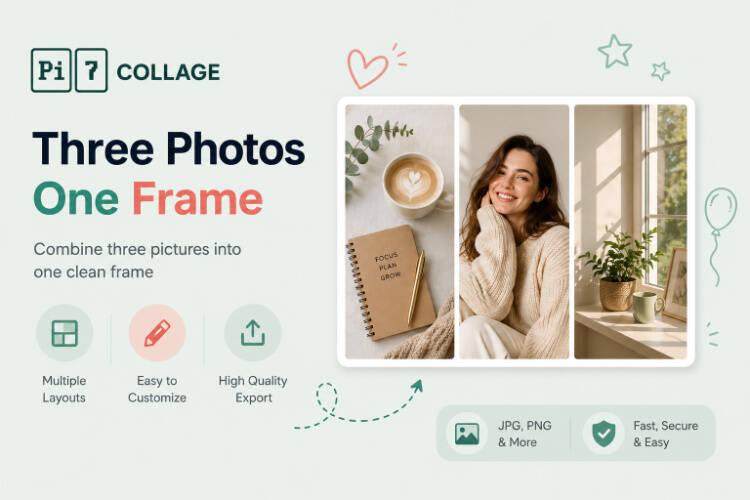
Eight Triptych Layouts to Choose From
Six 3-photo layouts to start from. Each opens directly in the editor with three empty cells, ready for your pictures. Tap any cell to upload, drag to swap.
Three Photos to One Frame: A One-Minute Workflow
From three photos on your phone to a finished frame, ready to post or print.
Pick the rhythm
Triptych for equal weight, Feature L when one photo leads, Row of 3 for a vertical Story strip. Tap a layout to open it.
Drop in three photos
Tap each cell to upload from your phone or computer. Drag to swap, crop each one to fit, brighten or filter the trio together.
Export and share
Square 1080 for Instagram, 1080x1920 for Stories or status, or 4x6 print for the fridge. PNG or JPEG, no watermark.
When Three Photos Read as a Story
Three photos are the sweet spot for a story you can read at a glance. With only two shots, the 2 photos in one frame tool covers before/after pairs better; with four or five, jump to the 4 photos in one frame or 5 photo collage maker.
The Rule of Threes: Why Triptychs Beat Pairs and Quads
Three is the smallest count where a sequence reads as a story instead of a comparison. A pair compares (this vs. that). A triptych narrates (before, then, after). Visual artists from medieval altarpieces to Wes Anderson have leaned on the rule of threes for the same reason: three frames give the eye a beginning, a middle, and an end without forcing the viewer to scan a grid.
That makes the triptych the right layout for cause-and-effect stories (kitchen before, mid-renovation, after), for chronological sequences (sunrise, noon, dusk), for narrative arcs (the prep, the moment, the cleanup). Four photos break the rhythm; two photos lose the middle act. Pick the three-photo layout when the story has a clear first-second-third structure.
Triptychs Stay on Your Device - No Photo Upload
Privacy is not an afterthought here - the whole tool is engineered around it. The three photos in a triptych are usually personal: a before-then-after journey, three sides of one place, three close friends. We do not think those should pass through a third party's server just so you can stitch them into a triptych. So they do not.
Most online triptych tools work by uploading your photos to a server, processing them in the cloud, then handing back the finished image. Pi7 does the opposite. Every photo you drop in is read locally by JavaScript and rendered to a canvas inside your own browser. The pixels never travel - not to us, not to a CDN, not to a third-party processor.
No Account, No Upload, No Watermark
No signup, no email, no account creation, no waiting on an upload bar. Open the tab, build the triptych, export the image, close the tab - and the session is gone. There is no copy of your three photos on a server somewhere being indexed, sold to model training, or sitting in an archived backup.
The practical knock-on benefits: it is fast (no upload time even for three high-resolution photos), it works offline once the page is loaded, there is no rate limit because there is no shared backend to throttle, and no watermark on the export because there is no premium tier to upsell into.
Frequently Asked Questions
Is this 3 photo collage maker really free?
Yes. No signup, no premium upgrade, no watermark on the export. Pi7 is free because it runs entirely in your browser - there are no servers we have to pay for processing.
Are my three photos uploaded anywhere?
No. Every photo stays on your device. Pi7 reads files locally using JavaScript, builds the 3-photo collage in your browser, and exports the final image without any of it ever leaving your phone or computer.
Can I align three photos that are different sizes?
Yes. Each cell accepts any aspect ratio and offers three fit modes - Cover (crops to fill), Contain (fits inside with padding), and Stretch. You can also crop each photo independently so the three frames sit at the same focal level.
Will the final collage fit Instagram or WhatsApp?
Yes. The 1080x1080 square preset works for Instagram feed posts. 1080x1920 vertical is the right size for Stories, Reels covers, and WhatsApp status. Both presets are one click in the export dialog.
Can I add a divider, border, or gap between the three photos?
Yes. The spacing slider goes from 0 to 60 pixels, and you can change the background color (solid, gradient, or pattern) which shows through the gaps. Per-cell borders with adjustable color, width, and corner radius are also available.
How do I swap or rearrange the three photos?
Drag any photo from one cell onto another - they swap positions. The crop, filter, and color settings travel with each photo, so a swap doesn't undo your edits.
Ready to make a 3 photo collage?
Eight layouts. Three photos. Under a minute. Free forever.
Open the editor