Instagram Collage Maker
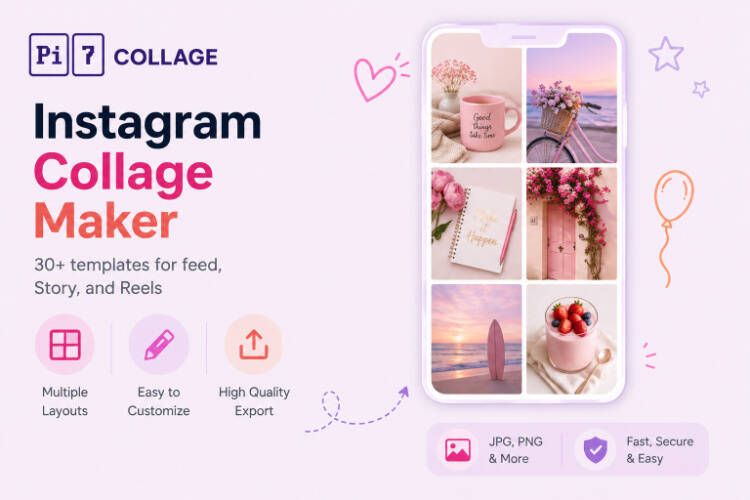
30+ IG-native templates for feed posts, Stories, carousels, and Reel covers. Pre-sized for 1080x1080 and 1080x1920, hand-drawn doodle aesthetics, full-bg overlays, bento grids, brutalist type, and more. Export at 4K, post in under a minute.
Open the IG EditorBuilt for the Feed, the Story, and the Reel Cover
Most collage tools give you a generic grid. Pi7 ships templates designed specifically for the platforms people post on - sized exactly for square feed, vertical Story, and the new portrait carousel, with the editorial typography and decoration vocabulary IG creators are actually using in 2026.
- Photo Dump with hand-drawn doodles
- Mood Float full-bg + floating polaroids
- Bento Box, Liquid Blob, Type Collision
- Themed doodles - coffee, beach, garden, music
- 1080x1080 square for feed posts
- 1080x1920 vertical for Stories and Reel covers
- 1080x1350 portrait for new feed default
- Custom dimensions with lock-aspect cells
- Tap any text to rewrite the headline
- Drag, rotate, resize each photo cell
- Crop, filter, color tune per photo
- Add stickers, doodles, shapes from the panel
Pick an Instagram Layout
Six IG-native layouts to start from. Each opens in the editor with the photo cells already positioned and the typography styled. Just drop your photos in.
Story or Feed - Which Format Wins
The biggest mistake people make is treating Stories and feed posts the same. A feed post earns its spot - it sits there forever, so the composition matters: clean grids, single hero shots, editorial typography. A Story is disposable - it lives 24 hours, so the layout should be fast to read in 2 seconds: big text, fewer photos, a pop of color or a sticker that catches the thumb.
Pi7's Mood Float and Bento Box templates are tuned for feed permanence. Naive Doodle and Photo Dump work for both, but the doodles really sing as a Story. Photobooth Strip is purpose-built for Story (1080x1920 vertical). Pick the format first, the template second.
Looking for a fixed photo count instead of an IG-themed template? The 5 photo collage maker and 3 photo collage maker drop straight into 1080x1080 with the right cell math, and the photo grid maker covers the classic 3x3 IG profile thumbnail look.
How to Make an Instagram Collage in 3 Steps
From your camera roll to a posted carousel in under a minute.
Pick a layout for your format
Square 1080x1080 for the feed, vertical 1080x1920 for Stories or Reel covers. Tap any IG-native template to open it pre-sized.
Drop in photos, edit text
Tap each cell to upload from your phone or computer. Drag to swap, crop each photo to fit. Tap any headline to rewrite it.
Export and post
Save as PNG or JPEG, then post directly to Instagram from your phone. No upload to our servers, no watermark, no signup.
Pick by Instagram Format
Each IG format has a sweet spot. Here is the quick map.
Instagram Sizes and Why They Matter
If you upload a square image to a Story, Instagram crops it. If you upload a vertical image to the feed, it crops the top and bottom. The right pixel size means no surprise crops when your collage hits the platform.
The classic feed post. Universal compatibility, fits every device. Use for grids, hero shots, and editorial collages.
The new feed default - 4:5 ratio, takes up more vertical space than square. Best for carousels with strong type.
Full-screen vertical. Keep the top 220 px and bottom 250 px clear of important content - that is where the IG UI overlays sit.
Even portrait posts crop to square in the grid thumbnail. If you want a clean profile, design with the centered square in mind.
Built Browser-Side - Your Photos Never Touch Instagram's Servers Twice
Privacy is not an afterthought here - the whole tool is engineered around it. The photos that go into an Instagram Story or feed collage are often personal: a friend's birthday, a couple shot, a candid family moment. We do not think those should pass through a third party's server before they ever reach Instagram. So they do not.
Most online collage tools work by uploading your photos to a server, processing them in the cloud, then handing back the finished image. Pi7 does the opposite. Every photo you drop in is read locally by JavaScript and rendered to a canvas inside your own browser. The pixels never travel - not to us, not to a CDN, not to a third-party processor. You upload them to Instagram once, when you post.
No Account, No Upload, No Watermark
No signup, no email, no account creation, no waiting on an upload bar. Open the tab, build the collage, export the image, close the tab - and the session is gone. There is no copy of your photo on a server somewhere being indexed, sold to model training, or sitting in an archived backup.
The practical knock-on benefits: it is fast (no upload time even for high-resolution iPhone photos), it works offline once the page is loaded, there is no rate limit because there is no shared backend to throttle, and no watermark on the export because there is no premium tier to upsell into.
Frequently Asked Questions
Is this Instagram collage maker really free?
Yes. No signup, no premium tier, no watermark on the export. Pi7 is free because it runs entirely in your browser - no servers to pay for processing.
Are my photos uploaded to a server?
No. Every photo stays on your device. Pi7 reads files locally using JavaScript and builds the collage in your browser. Close the tab and the session is gone.
Can I post directly to Instagram from Pi7?
Not directly - Instagram does not expose a public posting API for browser tools. Export the collage as PNG or JPEG, save it to your phone, then post normally. The whole flow takes under 30 seconds.
Ready to make your Instagram collage?
30+ templates. Pre-sized. Editable text. Free forever.
Open the editor