9 Photo Collage Maker - 3x3 Square, BestNine Ready
Pick a layout, drop in 9 photos, save the image. Five layouts to choose from: 3x3 Grid, Center+8, Bento 9, Mosaic 9, and the BestNine frame. Free, no signup, no upload. Photos stay on your device.
Make a 9 Photo CollageThe 3x3 Square: 9 Photos, No Hero, All Equal
Pi7 lets you build a 9 photo collage online with 5 ready layouts: 3x3 grid, Center+8, Bento 9, Mosaic 9, and Heritage Pedigree for a family-tree chart. Free and browser-based. Exports up to 4K. No signup, no upload, no watermark.
A 3x3 grid is 9 equal cells. No big photo, no small photo - all the same size. Good for when each of your 9 photos matters the same. It is also the format for the BestNine post: your 9 most-liked photos of the year in one square. Pi7 has the standard 3x3 plus four other layouts for when you need a different look.
- 3x3 Grid - the classic perfect square
- Center+8 - large hero (40%) in the middle frame
- Bento 9 - varied cells, asymmetric weight
- Mosaic 9 + Heritage Pedigree
- Crop, rotate, resize each photo independently
- One shared filter makes all 9 photos look the same tone
- Per-photo brightness, contrast, saturation
- Drag any photo to swap cells in seconds
- 1080x1080 for Instagram BestNine post
- 2400x2400 at 300 DPI for 8x8 framed print
- 4000x4000 for wall-art print
- Custom canvas with lock-aspect cells
Five Layouts for 9 Photo Collages
Five layouts for 9 photos. Each one opens ready to fill. Just drop your photos in.
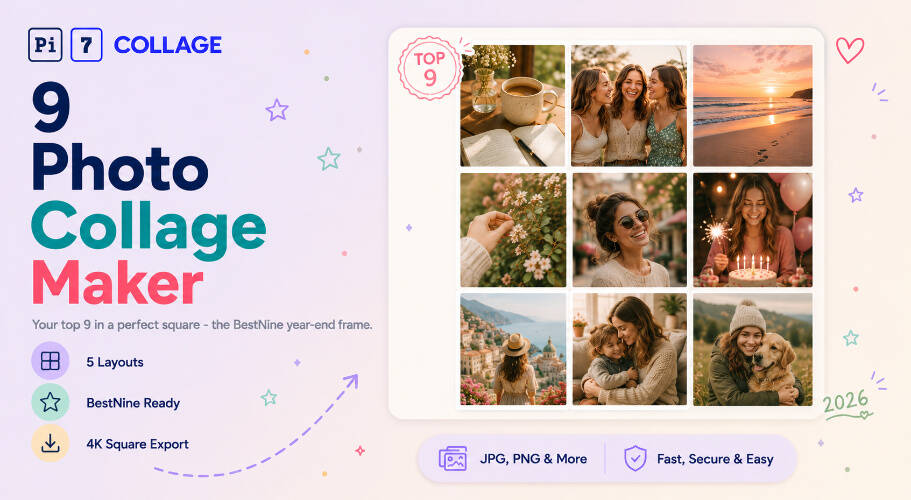
BestNine: The Year-End 3x3 Tradition
Every December, people post a 3x3 grid of their 9 most-liked photos of the year. That is BestNine: 9 photos, 3x3 grid, square image, captioned with the year. People do it every December on Instagram.
Pi7 lets you make a BestNine post without logging in to Instagram or uploading anything. Pick the 3x3 Grid, drop in your top 9 photos, tap the canvas to add "BEST 9 OF 2026", and export at 1080x1080. No app watermark on the image. Photos stay on your phone.
Want a printed BestNine? Export at 2400x2400 for an 8x8 photo print, or 4000x4000 for a 12x12 wall poster. Each cell stays sharp at print size.
From Camera Roll to 3x3 Square
Open the editor, fill 9 cells, save the image. Here is how.
Pick a 9-photo layout
Tap a layout to open it. 3x3 Grid for the standard square, Center+8 when one photo is the main one, Bento 9 for mixed sizes, Mosaic 9 for a different look, or Heritage for a family-tree chart.
Drop in 9 photos, apply one filter
Tap each cell to upload a photo. Drag photos between cells to change the order. Apply one filter to all 9 so they look like they belong together.
Export and share
Pick your size: 1080x1080 for Instagram, 2400x2400 for an 8x8 print, 4000x4000 for a wall poster. Hit save. No upload, no watermark.
Album Page, Class Photo, Friend Squad: Where Nine Lands
Common reasons people make a 9 photo collage.
Sized for the Square Print and the Instagram Grid
A 9-photo collage is almost always square. Three columns by three rows means the cleanest result is square. For Instagram, 1080x1080 is the right size - each cell is 360x360. For an 8x8 print, use 2400x2400 at 300 DPI. For a wall poster, 4000x4000 fits a 12x12 frame.
Bento 9, Center+8, and Mosaic 9 also export as squares. The cells just have different sizes inside. Pi7 has presets for each common square size. Pick your destination and the canvas resizes. No math needed.
Need 10 photos instead of 9? The 10 photo collage maker has a Top 10 layout, a 2x5 wide strip, and a 5x2 tall strip.
Nine Photos Stay on Your Device
Your 9 photos are personal. Pi7 does not send them anywhere. JavaScript reads the photos right in your browser and builds the collage there. Nothing leaves your phone or computer.
Most BestNine apps ask you to log in to Instagram and upload your photos to their server. Pi7 does none of that. No login, no OAuth, no upload. Pick your 9 photos, drop them in, export. The photos stay on your device the whole time.
No Account, No Upload, No Watermark
No signup, no email, no account. Open the page, build the 3x3 square, export the image. When you close the tab, the session is gone. Your photos are never saved to any server, never used for model training, never backed up somewhere you can not control. No watermark either, because there is nothing to upsell.
It is also faster because there is no upload step. Even 9 large iPhone photos open right away. The page works offline once loaded. There is no rate limit and no app stamp on your export.
Questions About 9 Photo Collages
What is the best layout for a 9 photo collage?
The 3x3 grid is the cleanest option - 3 rows of 3 equal cells, no big or small photos. If one photo is the main one, use Center+8. It puts that photo in the middle with 8 others around it. If you want different sizes, Bento 9 mixes large and small cells. Mosaic 9 is good if you want an off-grid look.
What is a BestNine photo collage?
BestNine is a December Instagram post - your 9 most-liked photos of the year in a 3x3 grid. With Pi7, open the 3x3 template, drop in your top 9 photos, add the year as a text overlay, and export at 1080x1080. No login, no watermark.
Are my 9 photos uploaded anywhere?
No. Every photo stays on your device. Pi7 uses JavaScript to read your files in the browser. The collage is built and saved on your device. Nothing is sent to a server.
Ready to make your 9 photo collage?
5 layouts. BestNine ready. No signup. Photos stay on your device.
Open the editor