Anniversary Photo Collage Maker - 25 Years, 50 Years, Any Year
Pick one of 6 anniversary layouts and the year - 25, 50, 10, or any number - is already built in. Change the number, drop in your photos, save. Free, no signup, nothing leaves your phone.
Make an Anniversary CollageYears Together, One Card
Pi7 has 6 anniversary collage layouts - each one has the year number (25, 50, 10, or any year) built into the design. Open the editor, pick a layout, and the year is already there to edit. Free, no account needed.
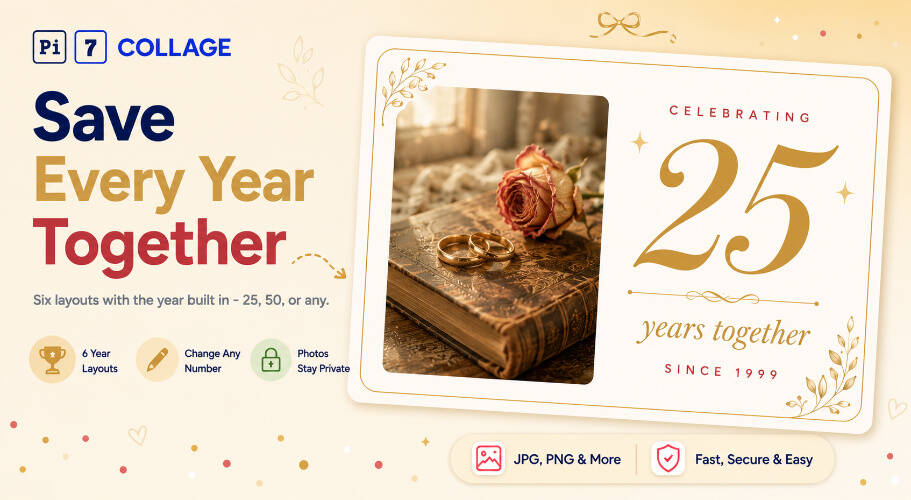
A 25-year card is not the same as a 1-year card. The number itself is the whole point. Milestone Year puts a big gold "25" next to your photo. Forever Ring places your year in the center of a gold ring. Wedding Day stacks a 1999 photo above a 2024 photo so the gap tells the story.
- Milestone Year - 1 photo + big "25" or "50"
- Forever Ring - 6 photos in a gold ring
- Wedding Day & Today - 2 stacked photos
- Years Counted, Vintage Album, Vow Renewal
- Tap the big 25 to change it (10, 30, 50)
- Update the year range (1999-2024)
- Change names and milestone labels
- Swap fonts and sizes from the text panel
- 5x7 inches at 300 DPI for a mailed card
- 4x6 inches for a smaller printed card
- 1080x1080 for Instagram and WhatsApp
- 1080x1920 for Stories and status
Six Anniversary Collage Templates
Six layouts - each one opens with the year already in place so you just change the number to yours.
The Year Is the Whole Story
A regular photo grid is just photos. An anniversary collage is different - the year number (25, 50, 10) is the whole reason the card exists. Every layout here puts that number front and center, not tucked in a corner.
Milestone Year prints the year huge next to your photo. Forever Ring places it in the center of the ring. Wedding Day and Today stacks your 1999 photo above your 2024 photo - the gap between them says everything. Years Counted puts a milestone label under each photo.
Post it on Instagram on your anniversary day. Send it on WhatsApp to your partner. Print it as a 5x7 paper card and mail it to family. Or save it as a 4K image and frame it at home.
From Camera Roll to Anniversary Card
Three steps and your anniversary collage is ready to save.
Pick an anniversary layout
Pick Milestone Year for a big-number card - good for 10th, 25th, 50th. Pick Forever Ring to fit 6 family photos in one collage. Pick Wedding Day and Today if you want a then-and-now card with two photos.
Drop in photos and edit the year
Tap each photo spot to pick a photo from your phone. Then tap the big "25" and type your own year - 1, 10, 30, 40, 50, or any number. Tap the year range to update both dates (for example, 2005 to 2025).
Save and send
Save at 5x7 inches (300 DPI) to print and mail as a card. Save at 1080x1080 to post on Instagram or send on WhatsApp. Take the file to any local print shop or order online.
Anniversary Card, Wedding Day, Vow Renewal: Where Years Land
Four more layouts for anniversaries, couple photos, and vow renewals - not in the gallery above.
Sized for Print, Phone Screen, Card Mailer
Four size options are built in. 5x7 inches at 300 DPI is the right size for a printed card you mail. 4x6 inches is a smaller card. 1080x1080 is square for Instagram. 1080x1920 is for Stories and status posts.
Pick the size before you save and the canvas adjusts automatically. No resizing, no DPI math, no third-party tool needed.
Your Anniversary Photos Stay on Your Phone
Wedding photos and anniversary photos cover decades of your life. Pi7 reads your files inside the browser - the photos never leave your phone or computer. No upload, no server, no cloud storage.
Most online card tools send your photos to their servers. Pi7 does not. Everything happens on your device. Close the tab and nothing stays behind.
No Account, No Upload, No Watermark
No account, no email, no password. Open the editor, pick a layout, drop in photos, save. That is the whole process. Nothing to sign up for.
No watermark on the saved image. No daily limit on how many collages you make. Works offline once the page has loaded. Fast on both phone and desktop.
Questions About Anniversary Photo Collages
What is the best layout for an anniversary photo collage?
For a 25th or 50th anniversary card, Milestone Year is the easiest pick - 1 photo and a big gold year number. For 6 family photos in one card, use Forever Ring. For a then-and-now card with 2 photos, use Wedding Day and Today.
Can I change 25 to my own anniversary year?
Yes. Tap the big number to change it to any year - 1, 5, 10, 30, 40, 50, or anything else. Tap the year range (for example 1999-2024) to update both dates. The font, color, and size all stay the same when you edit.
Are my anniversary photos uploaded anywhere?
No. Every photo stays on your device. Pi7 builds the collage in your browser and saves it back to your phone - nothing goes to a server.
Ready to make your anniversary card?
6 layouts. Year built in. No sign-up. Nothing uploaded.
Open the editor