12 Photo Collage Maker - 7+ Layouts, Free Online
Fit 12 photos into one frame in under a minute. 7+ ready layouts including 3x4 grid, 4x3 vertical, 2x6 wide banner, bento spread, mosaic, editorial magazine, and a 12-months year-in-review scrapbook. Free, browser-based, exports at 4K - your photos never leave your device.
Make a 12 Photo CollageCalendar Year Template: One Photo Per Month
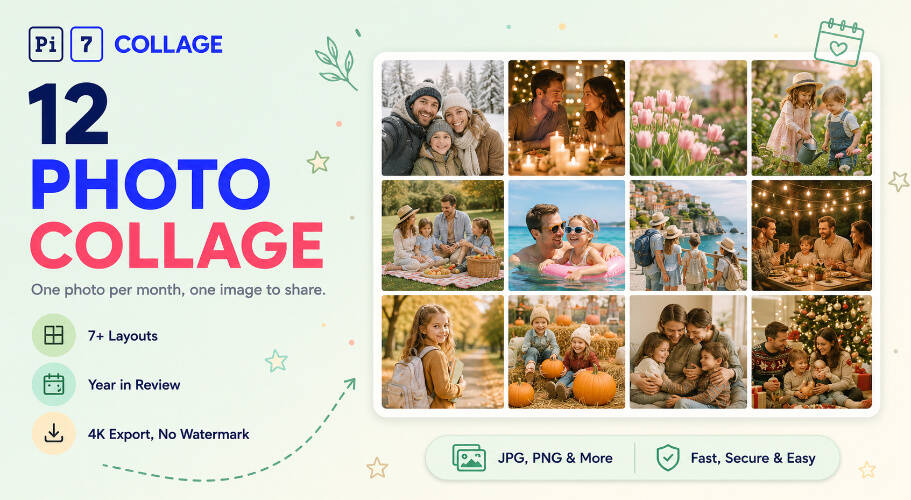
Pi7 makes a 12 photo collage online with 7+ layouts including the 12-Months Scrapbook - a polaroid-on-cream-paper year-in-review that lays one photo per month, January through December, behind a script "12 Months" headline. Free, browser-based, exports at print-ready 4K. No signup, no upload.
The 12-Months Scrapbook is the layout you reach for when twelve photos have natural rhythm - twelve months of a year, twelve frames of a friend group across a season, twelve weekly highlights stretched out. Drag any polaroid to reorder months; tap the script "12 Months" headline to change it to "2026" or "Our Year" or any phrase in the same italic serif. For everything else, the 3x4 grid, 4x3 vertical, 2x6 wide banner, bento spread, mosaic, and editorial spreads cover catalogue-style, Story-format, newsletter-header, and magazine layouts.
- 3x4 grid - clean horizontal, Instagram-ready
- 4x3 vertical - tall format for Stories and prints
- 2x6 wide banner - newsletter headers, blog covers
- 12-months scrapbook with script headline
- Crop, rotate, resize each photo independently
- Per-photo brightness, contrast, saturation
- One filter to all 12 for visual continuity
- Drag any photo to swap cells in seconds
- 1080x1080 square for Instagram feed
- 1080x1920 vertical for Stories and status
- 2400x1200 wide banner for newsletter headers
- Custom canvas with lock-aspect cells
Six Layouts for Twelve Photos
Six 12-photo layouts to start from. Each opens in the editor with the cells already positioned. Drop your photos in.
Why Twelve Hits the Sweet Spot
Twelve is the count where a single image still reads as a list - twelve months, twelve highlights, twelve people in a friend group, twelve days of a trip. Each photo gets enough space to be its own moment, but the whole image still hangs together as one composition. A 6-photo grid feels thin for a year recap; a 30-photo grid blurs the individual shots.
Pick the 12-photo grid for grouped storytelling. For tighter highlight reels, the 5 photo collage maker covers short-format counts, and our triptych layouts handle three-photo arrangements with eight purpose-built templates. For film-strip sequences and newsletter banners, the 8 picture collage maker ships a 4x2 wide banner alongside vertical, magazine, and bento spreads. Pi7's milestone collage maker ships with 5x6 grids and themed birthday templates for 30th birthdays, anniversaries, and big trip recaps. For multi-generational family stories with grandparents, parents, and kids in one frame, the family photo collage maker ships with a tiered family tree layout and reunion grids. For layered scrapbook compositions where photos overlap and tilt, the picture montage maker ships with mood-led templates.
From Phone to Posted Collage in Under a Minute
From your phone to a posted 12 photo collage in under a minute.
Pick a 12-photo layout
3x4 grid for timeline feel, 4x3 vertical for Stories, 12 Months scrapbook for year-in-review, 2x6 wide for newsletter headers. Tap any layout to open it pre-built.
Drop in 12 photos, edit text
Tap each cell to upload from your phone or computer. Drag to reorder, rotate, crop. Tap any headline to rewrite it - all text on every template is editable.
Export and share
Save as PNG or JPEG up to 4K, then post to Instagram, send on WhatsApp, or print at home. No upload to our servers, no watermark, no signup.
Year in Review, Yearbook, Christmas Card, Baby Month-by-Month
Where twelve photos in one frame earn their keep.
Square, Vertical, or Wide Banner - Pick by Channel
12 photos in one frame work cleanly at standard share sizes. For Instagram feed, the 1080x1080 square gives each of the 12 photos roughly 270x270px - readable on any phone. For Stories and WhatsApp status, the 1080x1920 vertical works best with the 4x3 layout (360x480px per cell). For newsletter headers and email signatures, the 2400x1200 wide banner with the 2x6 layout gives each photo a 400x600 hero cell.
Pi7's editor includes presets for all of these. Pick the share destination, the canvas auto-resizes, and the layout reflows to keep each of the 12 photos at the right scale. No manual aspect-ratio math.
Built for Family Albums, Not Stock Photos
Privacy is not an afterthought here - the whole tool is engineered around it. The photos that go into a 12 photo collage are usually personal: a year of family moments, a baby's first twelve months, a friend group's twelve favorites. We do not think those should pass through a third party's server just so you can stitch them together. So they do not.
Most online collage tools work by uploading your 12 photos to a server, processing them in the cloud, then handing back the finished image. Pi7 does the opposite. Every photo you drop in is read locally by JavaScript and rendered to a canvas inside your own browser. The pixels never travel - not to us, not to a CDN, not to a third-party processor.
No Account, No Upload, No Watermark
No signup, no email, no account creation, no waiting on an upload bar. Open the tab, build the collage, export the image, close the tab - and the session is gone. There is no copy of your 12 photos on a server somewhere being indexed, sold to model training, or sitting in an archived backup.
The practical knock-on benefits: it is fast (no upload time even for high-resolution phone photos), it works offline once the page is loaded, there is no rate limit because there is no shared backend to throttle, and no watermark on the export because there is no premium tier to upsell into.
Questions People Ask About 12-Photo Collages
What is the best layout for a 12 photo collage?
The 3x4 grid is the cleanest 12-photo layout - readable on Instagram, square aspect ratio, easy to scan. The 4x3 vertical works better for Stories and prints. For year-in-review or family yearbook, the 12-months themed scrapbook lays each photo out with a month-by-month rhythm.
Can I make a 12 picture collage on iPhone?
Yes. The 12 photo collage maker runs in iOS Safari, Chrome on iPhone, and other mobile browsers. The same 7+ layouts, drag-to-swap, per-photo crop, and 4K export work identically on iPhone, Android, and desktop. No app to install.
Are my 12 photos uploaded anywhere?
No. Every photo stays on your device. Pi7 reads files locally using JavaScript, builds the 12 photo collage in your browser, and exports the final image without any of it ever leaving your phone or computer.
Ready to make your 12 photo collage?
7+ layouts. No signup. Nothing uploaded. Free forever.
Open the editor