Couple Photo Collage Maker - 6 Love Story, Templates
Pick one of 6 couple layouts, drop in your photos, and save. Free. No signup. Your photos never leave your phone.
Make a Couple CollageYour Love Story in One Frame
Pi7 gives you 6 couple collage layouts built for two-person photos. Open the editor, pick a layout, and fill in your photos. No account needed.
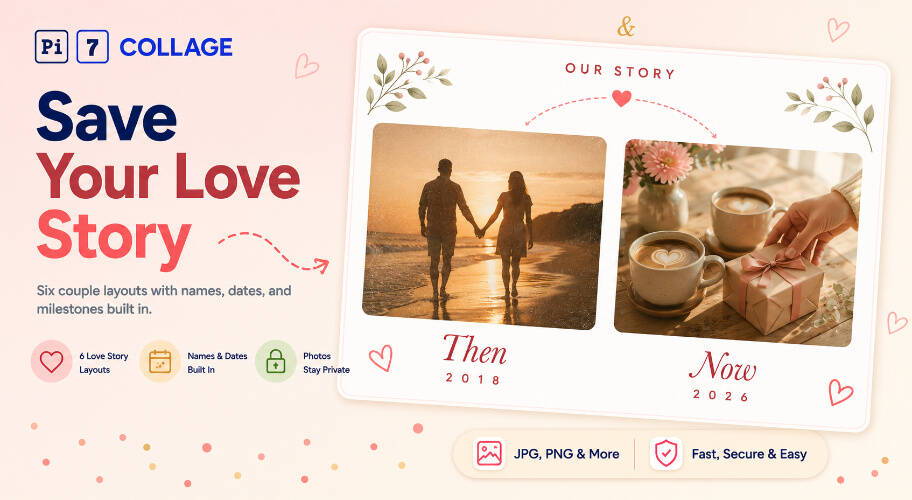
Each layout has names, dates, and milestones already placed. Then and Now holds 2 photos with year labels. Timeline has 5 spots with milestone labels. Monogram shows your initials below 2 circle photos.
- Then and Now - 2 photos with year labels
- Love Story Timeline - 5 photos across the years
- Monogram - 2 photos with your initials
- Film Reel, Heartstrings, Date Night
- Tap any text to change the names
- Change the year (2018, 2020, 2026)
- Swap milestone labels (engaged, married)
- Change fonts and sizes from the text panel
- 5x7 inches at 300 DPI for a mailed card
- 4x6 inches for a smaller printed card
- 1080x1080 for Instagram and WhatsApp
- 1080x1920 for Stories and status
Six Couple Collage Templates
Each layout opens with spots ready to fill. Tap a photo spot, pick from your camera roll, done.
A Couple Collage Tells a Story a Photo Grid Cannot
A regular photo grid is just photos in a box. These layouts have the names, dates, and milestones already placed - you fill in the photos and the years, not the design.
Then and Now fits a 2-photo before-and-after. Timeline fits 5 chapters from first date to today. Monogram puts your initials front and center - good for a wedding-card feel.
Save at 1080x1080 for an Instagram anniversary post. Send as a JPG on WhatsApp. Or print at 5x7 inches and mail it as a card on the morning of your anniversary.
From Camera Roll to Anniversary Card
Three steps from your camera roll to a finished couple collage.
Pick a couple layout
Pick Then and Now for 2 photos, Timeline for 5 milestone photos, or Monogram if you want your initials on the card. Film Reel, Heartstrings, and Date Night are good for social media posts.
Drop in your photos
Tap each photo spot and pick from your camera roll. For Then and Now, use your oldest couple photo and a recent one. For Timeline, pick one photo from each year.
Edit the names and save
Tap any name or year on the canvas to change it. When done, save at 5x7 for a mailed card or 1080x1080 for Instagram. No watermark on the saved file.
Anniversary, Valentine, Wedding Day: Where Couples Land
More couple-themed layouts for specific occasions - pick the one that fits. For a milestone year card with a big "25" or "50" front-and-center, the anniversary photo collage maker has 6 layouts built around the year number.
Sized for Print, Phone Screen, Card Mailer
Pi7 has four size presets: 5x7 inches at 300 DPI for a mailed paper card, 1080x1080 for an Instagram post, 1080x1920 for Stories or WhatsApp status, and 4x6 for a smaller printed card.
Pick the preset before you save. The canvas resizes to fit. No DPI math, no manual cropping.
Your Couple Photos Stay on Your Phone
Couple photos are personal - first date, wedding morning, private moments. Pi7 reads your photos in the browser. Nothing goes to a server, ever.
Most other tools upload your files to build the image. Pi7 builds it on your device. Close the tab when done - nothing is stored anywhere online.
No Account, No Upload, No Watermark
No email, no account, no login. Open the editor, pick a layout, fill in your photos, and save. That is the whole flow.
No watermark on the saved file. No rate limit. Works offline once the page loads. Fast on phone and desktop.
Questions About Couple Photo Collages
What is the best layout for a couple photo collage?
For an anniversary card, Then and Now is the easiest pick - 2 photos side by side with year labels. For a 5-photo love story, Timeline has 5 spots with milestone labels from first date to today. For a wedding or initials card, Monogram puts 2 circle photos beside a large gold ampersand.
Can I make a couple photo collage to print as a card?
Yes. Pick any couple layout and save at the 5x7 print preset - that exports at 1500x2100 pixels and 300 DPI, sharp enough for a mailed paper card. You can also use the 4x6 preset for a smaller card.
Are my couple photos uploaded anywhere?
No. Every photo stays on your phone. Pi7 reads the files in your browser, builds the couple collage there, and saves the image to your device. Nothing is sent to a server.
Ready to make your couple collage?
6 layouts. Print-ready. No sign-up. Nothing uploaded.
Open the editor