Wedding Photo Collage Maker - 5 New Layouts, 14 Total
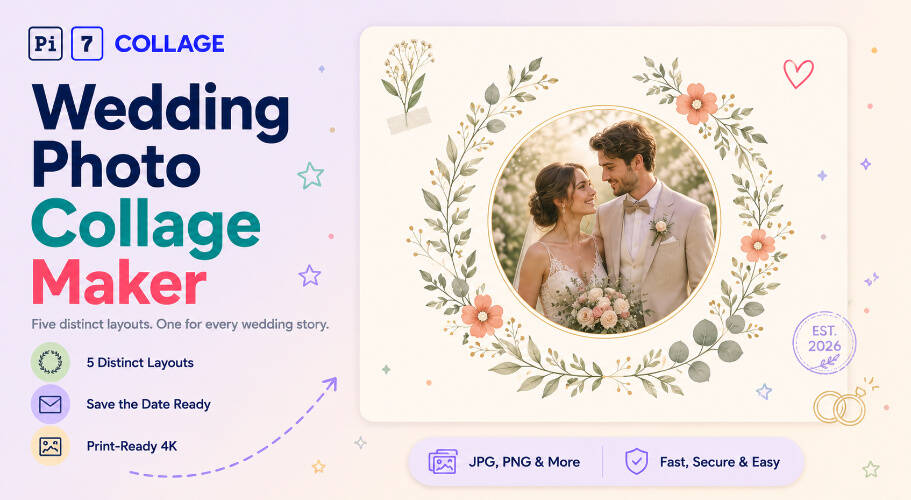
Five structurally distinct wedding designs: arch stack invitation, editorial magazine spread, floral wreath portrait, polaroid flatlay, and hanging garland save-the-date. Plus 9 more classic wedding templates. Free, browser-based, exports at print-ready 4K - photos never leave your device.
Make a Wedding CollageFive Wedding Layouts, Five Different Geometries
Pi7 ships 14 wedding photo collage templates across 5 distinct structural geometries - vertical invitation, asymmetric magazine spread, radial wreath, scattered polaroid flatlay, and curve-following garland. Each uses a fundamentally different photo arrangement, not the same skeleton with different colors. Free, browser-based, exports at print-ready 4K. No signup, no upload.
Most online wedding-collage tools ship 30 templates that are all the same grid with different backgrounds. We took the opposite approach: 5 hand-built layouts that look genuinely different from each other, plus 9 themed variants of classic styles for couples who want a familiar look. Pick the geometry that matches how you want your wedding to read - intimate vertical invitation, editorial Vogue feature, single-portrait elegance, or messy-desk scrapbook tactility.
- 5 new structurally distinct layouts
- 9 themed variants - boho, rustic, night, mandala
- Save-the-date, invitation, album, framed print formats
- Every template's text is editable
- Drawn floral wreaths, leaf clusters, garland ropes
- Magazine-style serif typography and folio marks
- Polaroid frames with washi tape and confetti
- Arch crowns, monograms, ornamental rules
- 4x6 save-the-date postcards (1200x1800)
- 5x7 invitations (1500x2100)
- 8x12 framed wall prints (2400x3600)
- 1080x1080 square for Instagram announcement
Pick a Wedding Template
Six wedding layouts to start from, each with a fundamentally different visual structure. Drop your photos in.
Why Five Layouts Instead of Fifty Skins
Most wedding collage tools ship 30+ templates and brag about the count. Open any 5 of them and you'll see the same 1+3 grid with different fonts and floral overlays. Five templates pretending to be thirty. We took the opposite path: every Pi7 wedding template uses a fundamentally different visual organising principle. The Arch Stack reads top-to-bottom on a single vertical axis. The Editorial Feature is asymmetric two-zone. The Wreath Portrait is radial around one circular focal point. The Polaroid Flatlay uses z-stack overlap with rotation. The Garland Line positions photos along a mathematical curve.
The practical benefit: when you cycle through Pi7's wedding gallery, every template looks visibly different from the previous one. You're choosing between five real composition styles, not five color schemes painted on the same grid. The 9 themed variants (boho, rustic, night, mandala, etc.) sit alongside as familiar comfort picks for couples who want a known wedding look rather than an editorial statement.
From Photo Library to Printed Invitation
From your phone to a printed save-the-date in under five minutes.
Pick the layout that fits the story
Arch Stack for traditional invitations, Editorial Feature for album spreads, Wreath Portrait for single-photo save-the-dates, Polaroid Flatlay for casual party recaps, Garland Line for outdoor or rustic weddings. Tap a layout to open it pre-built.
Drop in photos, edit the script text
Tap each cell to upload the engagement shoot, ceremony photos, or guest snaps. Tap the names, date, and venue text on every template to rewrite with your details. The script font, color, and size all swap from the inspector.
Export for print or share
4x6 save-the-date at 1200x1800 (300 DPI), 5x7 invitation at 1500x2100, 8x12 framed print at 2400x3600. Download direct to your device, send to your online photo printer, or share on Instagram at 1080x1080.
Save-the-Date, Invitation, Album Spread, Wall Print
Where a wedding photo collage earns its frame. For an anniversary or Valentine card with heart-shape photos instead of rectangles, the heart photo collage maker has 6 heart-frame layouts.
Sized for the Card, the Wall, the Feed
A wedding collage has more output destinations than most photo collages. For save-the-date postcards, the 1200x1800 export at 300 DPI hits 4x6 print quality. For 5x7 invitations, push to 1500x2100. Wall art prints at 8x12 want 2400x3600. For Instagram announcements and Stories, the 1080x1080 square or 1080x1920 vertical work best with the polaroid flatlay or arch stack layouts respectively.
Pi7's editor includes presets for all common wedding-print sizes. Pick the destination, the canvas auto-resizes, the layout reflows to keep names, dates, and decorative elements at the right scale. No manual aspect-ratio math for the couple ordering invitations.
Wedding Photos Stay on Your Device
Privacy is not an afterthought here - the whole tool is engineered around it. Wedding photos are among the most personal a couple takes: the ceremony, the first kiss, the family portraits, sometimes children and elderly relatives clearly visible. We do not think those should pass through a third party's server just so you can stitch them into an invitation. So they do not.
Most online wedding-collage tools work by uploading every photo to a server, processing them in the cloud, then handing back the finished image. Pi7 does the opposite. Every photo you drop in is read locally by JavaScript and rendered to a canvas inside your own browser. The pixels never travel - not to us, not to a CDN, not to a third-party processor. The wedding album stays in the family.
No Account, No Upload, No Watermark
No signup, no email, no account creation, no waiting on an upload bar. Open the tab, build the invitation, export the image, close the tab - and the session is gone. There is no copy of your wedding photos on a server somewhere being indexed, sold to model training, or sitting in an archived backup.
The practical knock-on benefits: it is fast (no upload time even for 7 high-resolution wedding photos), it works offline once the page is loaded, there is no rate limit because there is no shared backend to throttle, and no watermark on the export because there is no premium tier to upsell into.
Questions About Wedding Photo Collages
What is the best layout for a wedding photo collage?
For save-the-dates and invitations, the Arch Stack template (3 stacked photos with arched crowns and script names) is the classic pick. For wedding album spreads, the Editorial Feature template reads like a Vogue spread. For minimalist save-the-dates, the Floral Wreath uses a single circular photo encircled by a hand-drawn botanical ring.
Can I print my wedding collage from Pi7?
Yes. Export at 1200x1800 (300 DPI) for 4x6 save-the-date postcards, 1500x2100 for 5x7 invitations, or 2400x3600 for 8x12 framed wall prints. Pi7's export presets include common wedding-print sizes; the file downloads straight to your device with no upload to any printing service.
Are my wedding photos uploaded anywhere?
No. Every photo stays on your device. Pi7 reads files locally using JavaScript, builds the wedding collage in your browser, and exports the final image without any of it leaving your phone or computer.
Ready to make your wedding collage?
14 templates. Five distinct geometries. No signup. Nothing uploaded.
Open the editor