Birthday Collage Maker - 20+ Templates for the Big Day
Turn your birthday photos into a confetti-popping, candle-glowing, party-ready collage in under a minute. Pre-built templates for every birthday vibe - kid parties, milestone years, surprise mosaics, neon nightclub shots.
Start a Birthday CollageFrom Phone Roll to Birthday Card in Under a Minute
A birthday collage is not a generic grid - it's a card. The text, the year, the name, the vibe all matter. Pi7's birthday templates ship with editable headlines, swap-anywhere photo cells, and themes that go from kid-pastel to neon-disco.
- Polaroid party with confetti scatter
- Neon Glass for nightclub shots
- Golden Birthday for milestone years
- Disco Glam, Y2K Cyber, Comic Cover
- Tap any text to change name, age, year
- Swap fonts, colors, sizes, alignment
- Add new captions from the Text panel
- Stamp-style borders and text shadows
- 1-photo solo card or 8-photo memory grid
- Drag-swap any two photos in seconds
- Crop each photo independently
- Add filters per photo or to the whole set
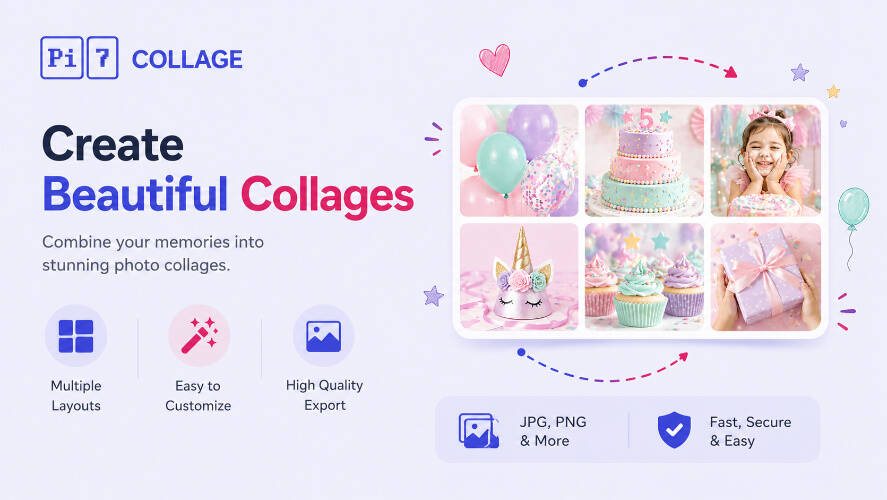
20+ Birthday Templates: Confetti, Neon, Pastel, Doodle
Tap any template to open it directly in the editor with your chosen layout already loaded. Every text field is editable - just tap to change the name, year, or message.
Four Steps from Phone Roll to Card
From a phone full of party shots to a finished birthday card, ready to print or post.
Pick the vibe
Polaroid for nostalgic, Neon for the nightclub set, Pastel for kid parties, Golden for milestone years. Tap a template to open it.
Drop in the photos
Tap each empty card to upload from your phone or computer. Drag photos between cards to swap, crop each one to fit, brighten if the lighting was rough.
Edit the words
Tap any text to change the name, year, or birthday message. Add stickers, emoji, or shape elements from the right-side panels.
Card, Recap Reel, Print Gift: Where Birthday Collages Land
Pi7's birthday templates work for every kind of birthday moment, not just one age or style. To post the result on social, the Instagram collage maker covers Story and feed sizing; for a dedicated 5-photo recap of the party, the 5 photo collage maker has Magazine and Spine layouts that fit the brief. For a holiday card with the same family text + photo approach, the Christmas collage maker has 5 winter card layouts.
Birthday Headline Typography: Script for Cards, Bold for Carousels
The headline does more work than the photos on a birthday collage. "Happy 7th, Mira" in a calligraphic script reads as a keepsake card; the same words in a tall sans-serif reads as a story slide. Pi7's birthday templates ship three headline styles tuned to those two outcomes: looping italic script (Playfair Display Italic, Allison) for cards and prints, tall geometric sans (Outfit, Bebas Neue) for Stories and Reels, and a chunky display style (Anton, Black Ops) for confetti-and-neon themes meant to stop a scroll.
Every template's headline is editable - tap the text to rewrite the name, the age, the message. The font, color, and size all swap from the inspector. Match the typeface to where the collage will live: script for a card mailed to grandparents, bold sans for a Story shared with the friend group, display for a milestone-birthday Reel.
Birthday Photos Stay on Your Device - Nothing Uploaded
Privacy is not an afterthought here - the whole tool is engineered around it. Birthday photos are some of the most personal a family takes: the cake, the candles, the kid mid-laugh, the friends crowded around the table. We do not think those should pass through a third party's server just so you can build a birthday card. So they do not.
Most online birthday collage tools work by uploading your photos to a server, processing them in the cloud, then handing back the finished card. Pi7 does the opposite. Every photo you drop in is read locally by JavaScript and rendered to a canvas inside your own browser. The pixels never travel - not to us, not to a CDN, not to a third-party processor.
No Account, No Upload, No Watermark
No signup, no email, no account creation, no waiting on an upload bar. Open the tab, build the birthday card, export the image, close the tab - and the session is gone. There is no copy of the birthday photos on a server somewhere being indexed, sold to model training, or sitting in an archived backup.
The practical knock-on benefits: it is fast (no upload time even for a dozen high-resolution party photos), it works offline once the page is loaded, there is no rate limit because there is no shared backend to throttle, and no watermark on the export because there is no premium tier to upsell into.
Frequently Asked Questions
Can I add the birthday person's name and age?
Yes. Every birthday template ships with editable text - tap once to select, tap again to type. Change the name, change the year, change the headline. Add new text layers from the Text panel if you need a quote or signature.
Is this birthday collage maker really free?
Yes. No signup, no premium upgrade, no watermark on the export. Pi7 is free because it runs entirely in your browser - there are no servers we have to pay for processing.
Are my photos uploaded anywhere?
No. Every photo stays on your device. Pi7 reads files locally using JavaScript, builds the collage in your browser, and exports the final image without any of it ever leaving your phone or computer.
What size should I export for Instagram or WhatsApp?
For an Instagram feed post, use the 1080x1080 square preset. For a Story or WhatsApp status, use 1080x1920 vertical. Both are one click in the export dialog. PNG keeps everything sharp; JPEG keeps file size down.
Can I print the birthday collage?
Yes. Pick the 4x6 or 5x7 print preset at 300 DPI for a card you can print at home or send to a print service. For a poster-size banner, export at 4x resolution and print A3 or larger.
Can I save my work and come back later?
Pi7 keeps a 30-step undo history during the session. For longer-term saves, export the collage as a PNG/JPEG - you can re-open the editor any time and start a fresh design from any of the 20+ birthday templates.
Ready to make a birthday collage?
20+ templates. Editable text. Zero signup. Free forever.
Open the editor